
This release keeps things tidy — updated documentation and README files to ensure the information you rely on stays accurate.
Improvements:
- Documentation and readme updates for better clarity.

This release keeps things tidy — updated documentation and README files to ensure the information you rely on stays accurate.
Improvements:
This update brings security improvements, faster Media Hub performance, and several stability fixes for a smoother experience.
Security:
Improvements:
Managing your videos should feel as good as the videos themselves. The old admin was functional, but it was starting to show its age. So we went back to the drawing board and rebuilt the entire experience from scratch.
Everything is cleaner, easier to navigate, and much more intentional. Here’s what changed.
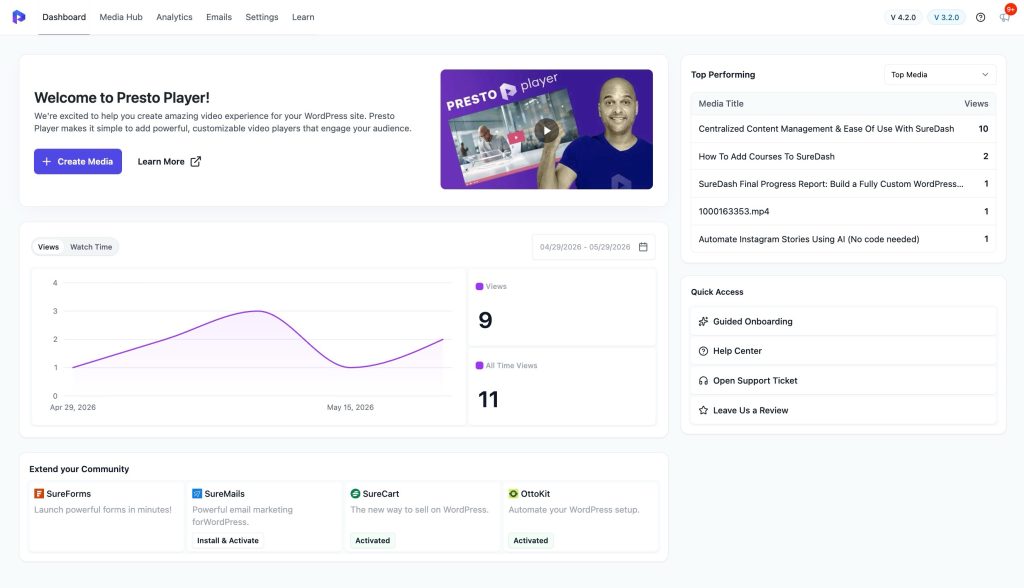
A Real Dashboard to Start From
Before this update, opening Presto Player dropped you straight into the Media Hub. There was no real home base. No quick way to see how your videos were performing or where to go next.
The new Dashboard fixes that. You now land on a page that shows your top performing videos, recent view stats, and quick access links to Guided Onboarding, the Help Center, and Support. Everything you need, right at the start.
Media Hub, Refreshed
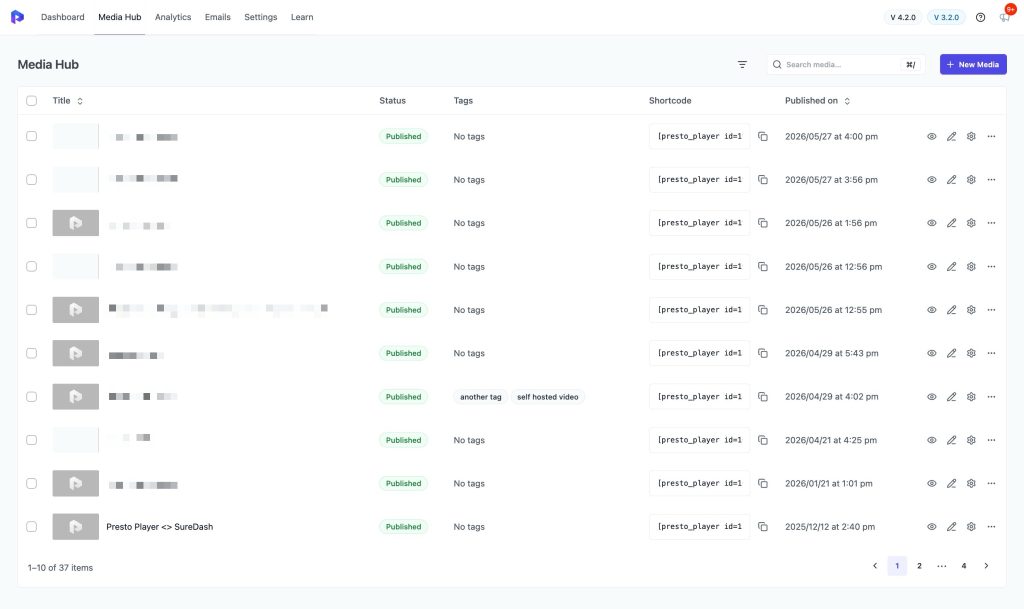
The Media Hub still does what it always did. But now it looks the part. The layout is cleaner, the table is better structured, and managing your video library just feels more organised than before.
Analytics, Given Its Own Space
Analytics was always buried. Now it has a proper dedicated page where you can track Views and Watch Time, filter by date range, see your Top Media ranked by total views and average watch time, and check which users are engaging the most. No digging around. Just the data you need, where you’d expect it.
Settings, Finally Organised
If you’ve ever gone into Settings and had to hunt for something, this one’s for you. Everything is now grouped into clear sections: General, Integrations, and Performance. Much easier to find what you’re looking for.
A Emails Tab
Email capture submissions from your videos still have their own dedicated space in the admin. The Emails tab keeps all your submissions in one place, easy to find and manage.
The Learn Tab: Get Set Up Without the Guesswork
New to Presto Player? Or just never explored everything it can do? The new Learn tab walks you through the whole setup in chapters. Getting Started, Player Customization, Branding, Embedding, Analytics, Integrations — all laid out step by step, with progress tracking so you always know where you left off.
Changelog
Presto Player 4.2.0 & Pro 3.2.0
Presto Player 4.1.4 & Pro 3.1.5:
Presto Player 4.1.3
Presto Player Pro 3.1.4
We’ve been listening to your feedback and squashing bugs. Presto Player Core 4.1.2 & Pro 3.1.3 is a focused stability release that improves the experience for international users, gives developers more control over video SEO, and resolves several edge-case issues.
What’s New
Control Your Video SEO Schema
Presto Player automatically outputs structured data (JSON-LD schema) for your videos to help search engines understand and index your content. With 4.1.2, you now have full control over this behavior through new filters:
Improved Internationalization
This release includes several fixes that make Presto Player work better for non-English sites:
Bug Fixes
Under the Hood
Update Now
As always, we recommend backing up your site before updating. You can update directly from your WordPress dashboard under Plugins → Updates.
Changelog
Presto Player 4.1.2
Presto Player Pro 3.1.3
Change log – Presto Player Core 4.1.1 & Presto Player Pro 3.1.2
Automatic captions are now supported for Bunny.net videos. When enabled in Presto settings, captions are generated automatically after upload and added to the player once processing is complete. Caption generation runs in the background and does not affect playback. Processing time and availability depend on video length. Additional languages can be generated later if needed, with support for 50+ languages. Standard Bunny.net transcription charges apply. Enable captions to improve accessibility and reach for your video content!
Change log – Presto Player Core 4.1.0 & Presto Player Pro 3.1.0
We want to hear from you! We’ve introduced in-app feedback surveys to better understand your needs. Please take a moment to share your experience so we can continue improving the platform.