This update introduces Presto Capture on your dashboard and fixes a few things to make Presto Player smoother and safer.
Changelog
New: Presto Capture now shows up on your dashboard with a notice, a menu link, and an update popup, so it is easy to find.
Fixed: Email update sign-ups during onboarding now reach your mailing list. Email updates and usage data also have separate opt-ins, so you choose what you share.
Fixed: The 4.5 feature announcement now shows only on Presto Player screens, so it no longer appears elsewhere in your dashboard.
Fixed: Save Play Position now works on iOS when the muted preview is on.
Security: Improved the security of private video links.
We’re excited to announce the release of Presto Player 3.0.1, bringing you even smoother control over your media content!
Effortless Media Management:
Take charge of your workflow with our new setting that lets you define the default sync behavior for new media hub blocks. Enjoy a seamless experience as you add fresh content to your site.
Enhanced Visibility for Seamless Editing:
We’ve made it even easier to edit your synced media hub items! You’ll now find a clear “Edit Original” option right in the inspector sidebar, providing quick access to modify your content.
Enjoy these enhancements and keep those videos playing flawlessly!
New:
New: Setting for changing the default Media Hub sync behavior for new blocks.
Improvement:
Improvement: Add “Edit Original” to inspector sidebar for synced media hub items to increase visibility of new feature.
Fix:
Fix: Issue with private bunny.net private video not signing urls correctly when synced with media hub.
Fix: Making CSS more specific on instant video page to prevent conflicts with themes.
We’re thrilled to announce major updates to Presto Player, designed to make your video pages more beautiful and easier to manage than ever before!
Create Stunning Video Pages in a Flash
Our new Instant Video Pages feature lets you create dedicated pages for your videos with a single click! No more tedious setup – just beautiful, engaging video content.
Effortless Video Management
We’ve streamlined your workflow with powerful new features:
Seamless Synchronization:Sync your video blocks with your media hub items for effortless content management.
Unified Video Experience: We’ve combined all Presto video blocks into a single, powerful block, simplifying your editing experience.
Enhanced Media Selection: Our new video placeholder lets you easily select existing media hub items and the improved admin media hub selector now displays video types and poster images for better organization.
Behind-the-Scenes Enhancements
We’ve also made significant under-the-hood improvements, including updating our web components library dependency, to ensure Presto Player remains blazing fast and reliable.
Update today and experience the future of video pages!
This content is blocked because it requires YouTube cookies.
New:
New: Instant video pages. Create beautiful video pages with a single click.
New: Sync video blocks with media hub items.
Improvement:
Improvement: Combine all Presto video blocks into a single block.
Improvement: New video placeholder lets you select existing media hub items.
Improvement: Admin media hub selector now shows video type, poster image.
Improvement: Update web components library dependency.
Fix:
Fix: Presto Player admin menu icon sometimes being altered by problematic 3rd party plugins.
Fix: Issue where adding provider override to a shortcode was not working for audio player.
We are thrilled to announce the release of two highly requested features in Presto Player, the leading WordPress video plugin.
Show Time Elapsed – A New Preset Option
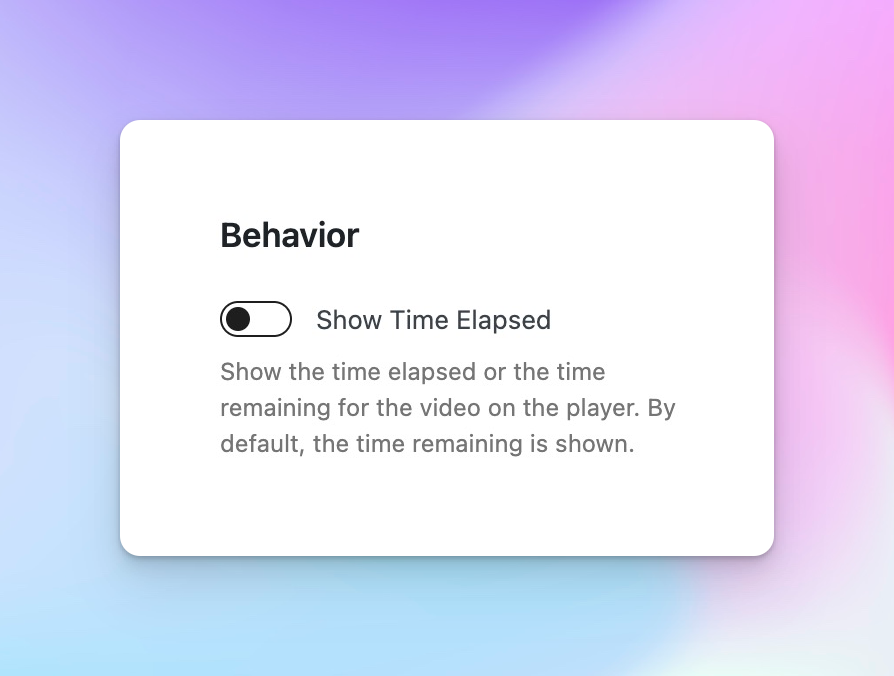
We’ve heard your feedback, and we are delighted to introduce the “Show Time Elapsed” preset option, available under the behavior settings in Presto Player.
When enabled, this feature displays either the time elapsed or the time remaining for the video directly on the player.
This highly requested feature empowers course creators to provide more context to their viewers, allowing them to easily track their progress and manage their time effectively.
Now, your audience can stay engaged and informed throughout the video playback experience.
Playlist Highlight Color Setting
We understand that each video in a playlist may have its own unique player style. To ensure a consistent and visually appealing playlist experience, we have introduced a new setting that allows you to pass a playlist highlight color to all players within the playlist.
By unifying the player style, this feature adds a professional touch to your playlists and creates a cohesive visual identity for your video content.
Now, your viewers can navigate through your playlist seamlessly, enjoying a visually harmonious experience from start to finish.
Upgrade to the latest version of Presto Player now and leverage these powerful features to enhance your video content and engage your audience like never before.
New:
New: Time elapsed options in presets (pro required).
New: Setting to pass playlist highlight color to players (pro required).
We are excited to announce a new feature in Presto Player – Automatic Video Schema!
With this latest update, we have integrated video schema functionality into Presto Player, providing significant Search Engine Optimization (SEO) benefits for your videos.
Video schema, also known as structured data or schema markup, is a standardized format that allows search engines to understand and interpret the content of your videos better. It provides search engines with specific details about your video, such as its title, description, duration, thumbnail, and other relevant information.
By adding automatic video SEO schema to Presto Player, you can enhance the visibility and discoverability of your videos in search engine results. Here are some of the SEO benefits you can expect:
Improved Click-Through Rates (CTR): Video schema enables search engines to display rich snippets in search results, including video thumbnails, titles, and descriptions. These eye-catching snippets can attract more clicks from users, increasing your CTR.
Enhanced Video Visibility: With video schema, search engines can understand the context and content of your videos more accurately. This helps them index and rank your videos appropriately, making them more visible to potential viewers.
Increased Organic Traffic: By optimizing your videos with schema markup, you can improve their chances of appearing in video carousels, featured snippets, and other prominent positions in search results. This can lead to an increase in organic traffic to your website.
Better User Experience: Video schema markup allows search engines to provide more relevant video recommendations to users. By leveraging this feature, you can deliver a better user experience and engage your audience effectively.
To take advantage of the automatic video SEO schema in Presto Player, make sure to provide a poster image for each video. This image will be used as the thumbnail in search engine results and helps to attract viewers’ attention.
Upgrade to the latest version of Presto Player now and unlock the power of automatic video SEO schema. Enjoy improved visibility, increased organic traffic, and a better overall SEO performance for your videos!
We hope you enjoy this new feature and look forward to bringing you more exciting updates.
New:
New: Add automatic video SEO schema (poster image required).
It’s been 2.5 years since Presto Player was first released, and we are happy to announce the release of Presto Player 2.
The main feature we have added is Video Playlists and boy are they amazing!
This content is blocked because it requires YouTube cookies.
Get ready to add some Netflix-style awesomeness to your website.
What is most special about the video playlists, what sets our Playlists apart from all others, is the ability to use all the amazing Presto Player features inside your playlists.
This is something no other product offers!
New:
New: Playlists (Pro)
Improvement:
Improvement: Update HLS streaming library for more reliable HLS playback.
Email Capture (Requires Pro v1.0.0) – capture emails from visitors to allow watching of videos on your site. Integrate with FluentCRM, Mailchimp, MailerLite, or ActiveCampaign.
Youtube Privacy Enhanced Mode (Requires Pro v1.0.0) – you can now turn this global setting on to embed YouTube videos without using cookies that track viewing behaviour.
Style-Conflict Free – The player has been refactored into a web component, so it is now unaffected by theme styles.
Dynamic Loading – The player now loads dynamically on the page, meaning it works seamlessly with popup plugins and lazy or ajax loading content.