
Help, Video Player Not Showing!
If your Presto Player video is not showing on your site, the most common cause is a conflict with a caching plugin, performance plugin, or CDN. This guide walks you through how to identify and fix the issue.
Disable Performance Settings in Presto Player
Start by turning off the performance options in Presto Player to rule out a conflict.
Step 1 – Log in to your WordPress dashboard and go to Presto Player > Settings.
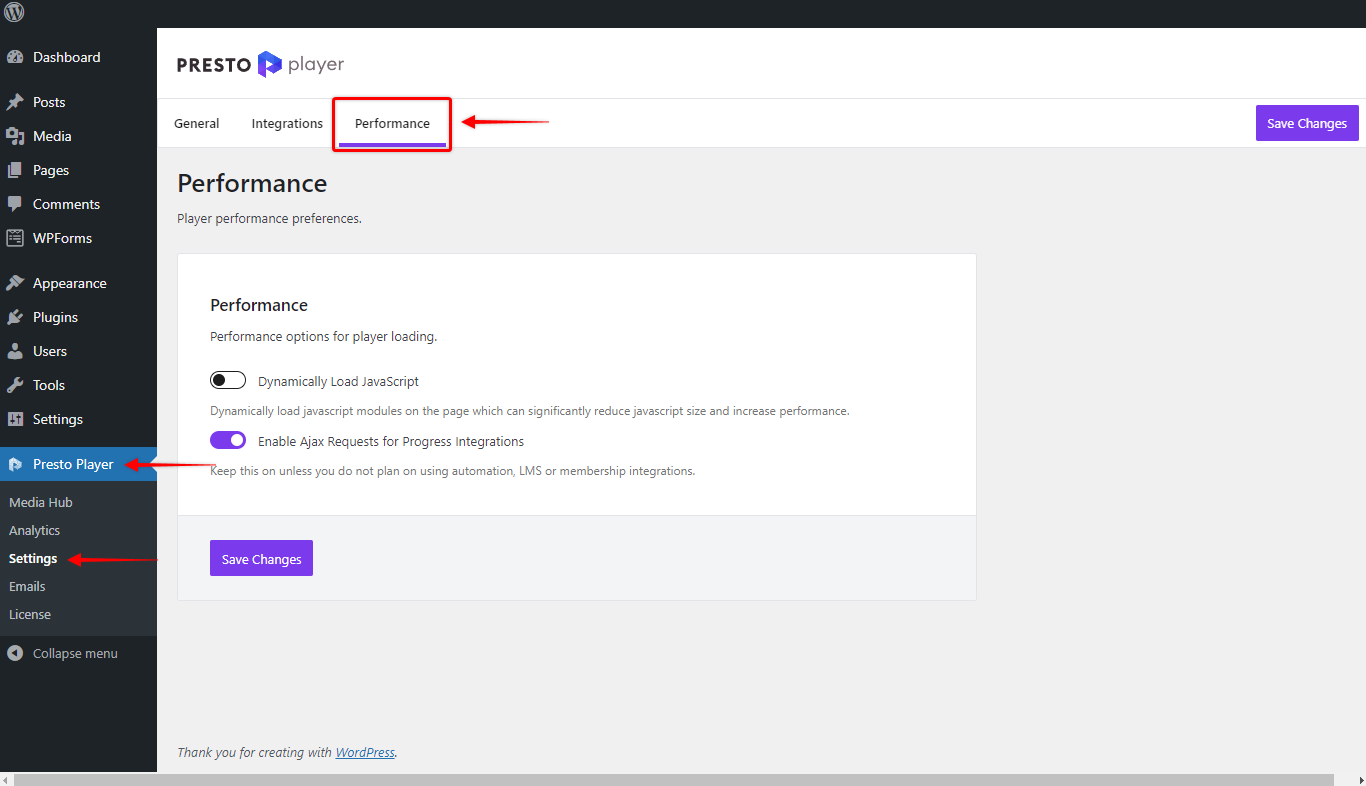
Step 2 – Click the Performance tab.
Step 3 – Disable both options: Dynamically Load JavaScript and Enable Ajax Requests for Progress Integrations. Click Save Changes.
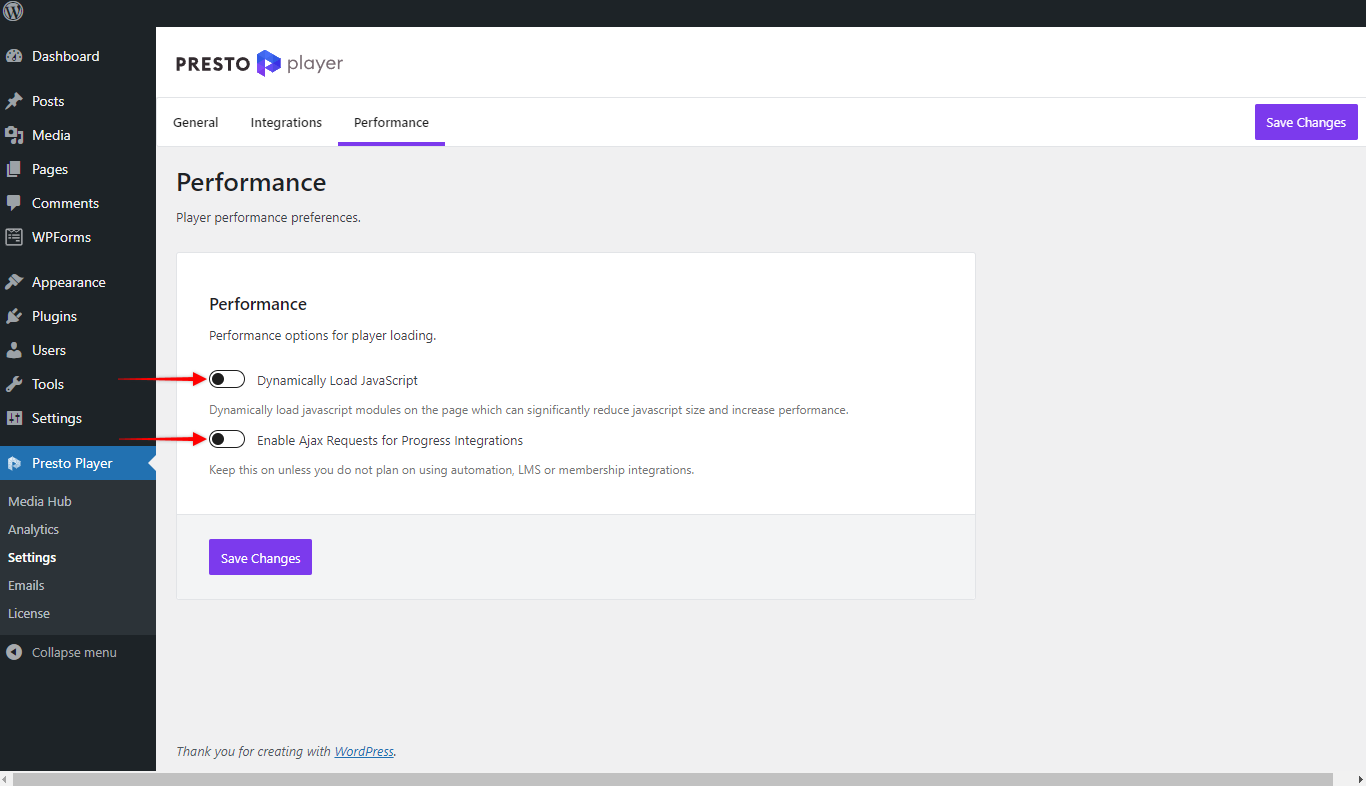
Now reload the page with your video. If it shows up, the issue is with your caching plugin, performance plugin, or CDN. Continue to the next sections to resolve it.
If the Issue Is a Caching or Performance Plugin
If re-enabling Dynamically Load JavaScript causes the video to disappear again, your caching or performance plugin is likely concatenating JavaScript files in a way that breaks Presto Player.
The fix is to exclude the Presto Player script from concatenation in your plugin’s settings. The file to exclude is:
/wp-content/plugins/presto-player/dist/components/web-components/web-components.esm.jsPresto Player already handles this exclusion automatically for WP Rocket. For other plugins, you may need to add it manually.
Note: Excluding this file will not hurt your performance. Most modern hosting environments run on HTTP/2, where combining scripts is not recommended anyway.
If the Issue Is a CDN
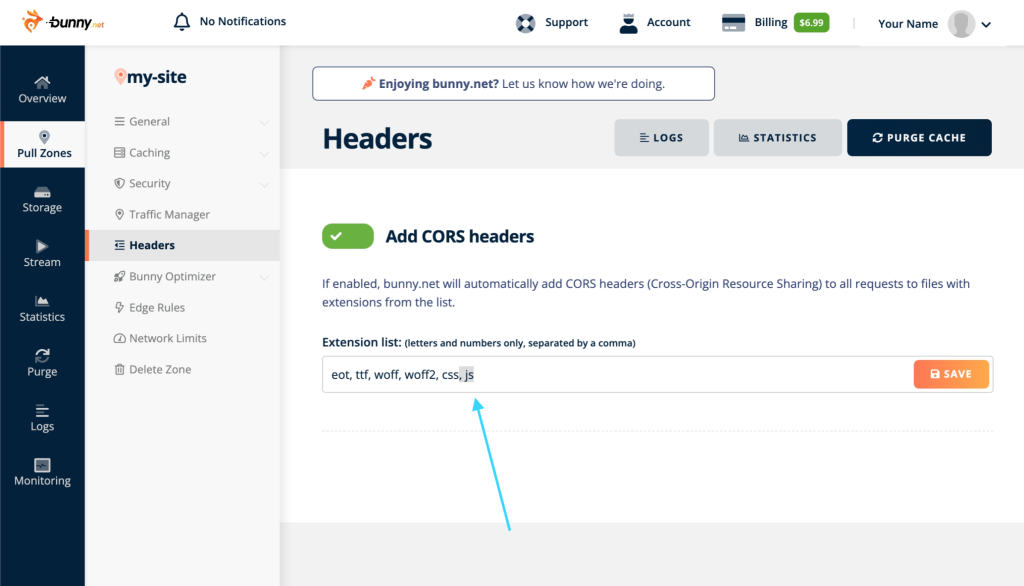
If you are using a CDN for your site, it may be blocking Presto Player’s JavaScript from loading due to missing CORS headers.
To fix this, enable CORS headers in your CDN settings. Here is an example of where to find this in Bunny.net:
If you are using Cloudflare, CORS headers are enabled by default – no changes needed.
If your CDN is managed by your host (such as WP Engine or GoDaddy) and there is no settings interface available, you will need to contact their support and ask them to enable CORS headers for your site.
Conclusion
In most cases, disabling the performance settings or excluding the Presto Player script from concatenation will resolve the issue. If you have gone through all the steps above and the video is still not showing, please contact our support team and we will be happy to help.
We don't respond to the article feedback, we use it to improve our support content.