
How To Use Presto Player With Any Video Host
You can use Presto Player with almost any video hosting service, even if there is no direct integration. As long as the service provides a public video URL, you can use that video with Presto Player and still access player features like presets, chapters, autoplay, and branding.
Public video URLs normally end in the video’s title and file extension like {filename}.mp4.
When to Use This
This approach works well when:
- Your videos are hosted on a service not listed in Presto Player’s built-in providers
- You already have video files hosted elsewhere
- Your host provides a direct, publicly accessible video URL
How to Add a Video Using a URL
Follow these steps to add a video from any supported host.
Step 1: Log in to your WordPress dashboard and open the post or page you want to edit.
Step 2: Add the Presto Player block.
Step 3: Choose Video URL as the video source.
Step 4: Paste the public URL to your video file.
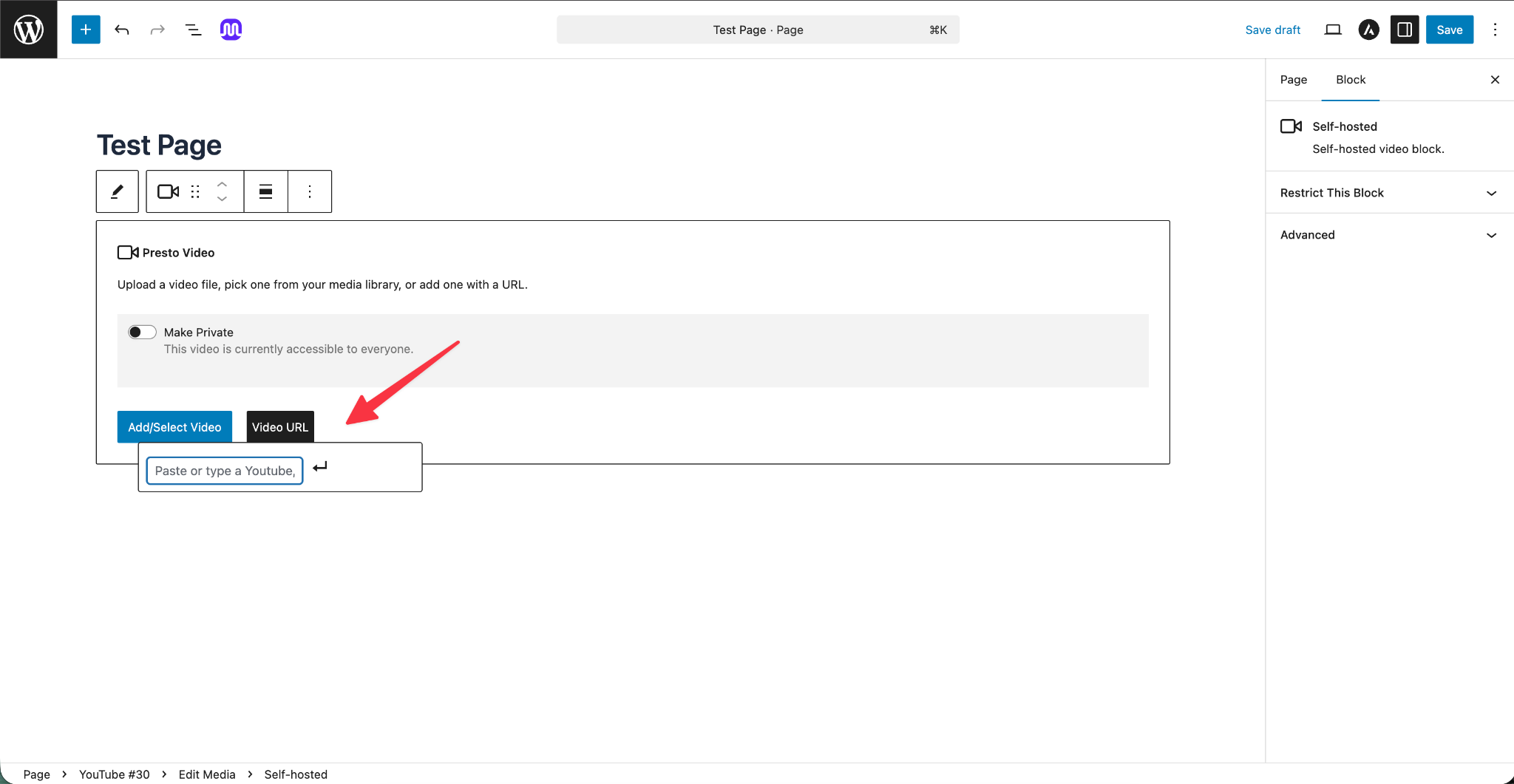
Step 5: Wait for the video to load in the editor.
Step 6: Adjust the player settings as needed.
Step 7: Publish or update the page.
Once added, the video behaves like any other Presto Player video.
What You Can Do After Adding the Video
After the video is added, you can:
- Apply video presets
- Add chapters or timestamps
- Enable muted autoplay
- Customize player controls and styling
The video file remains hosted on the original service, while Presto Player handles the playback experience on your site.
Notes and Limitations
- The video URL must be publicly accessible
- Some hosts may restrict playback based on referrer or domain settings
- Playback performance depends on the hosting provider
- If the video does not load, check that the URL works when opened directly in a browser
Conclusion
Presto Player works with virtually any video hosting service, as long as they provide a direct, publicly accessible file link. No matter where your videos are hosted, you can still take advantage of Presto Player’s full feature set. If you run into any issues, feel free to reach out to our support team. We’re happy to help.
We don't respond to the article feedback, we use it to improve our support content.