
- How to Create a Presto Popup
- Video Presets
- Video Security
- Performance Preferences
- Video Settings
- Shortcodes
- Capture Emails
- Audio
- Video / Audio Timestamps
- Playlists
- How to Use Instant Video Pages in Presto Player
- Automatic Video Syncing
- Dynamic Watermark
- Video Presets
- Automatic Captions in Presto Player
- How to Use Video Presets in Presto Player – Layouts and Behavior
- How to Customize Video Presets – Settings and Layout Options
- How to Use Shortcodes in Presto Player
- How to Use Advanced Shortcodes and Timestamps
How to Use Shortcodes in Presto Player
Shortcodes let you add Presto Player videos or audio in places where blocks are not available. They are useful when working with:
- Classic widgets
- Theme files
- Headers, footers, or sidebars
- Page builders or plugins that do not support blocks
Shortcodes are best used when media needs to be embedded outside the block editor or loaded dynamically.
Media Hub Shortcodes vs Original Shortcodes
Presto Player supports two types of shortcodes. Which one you use depends on where your media is managed.
Media Hub Shortcodes
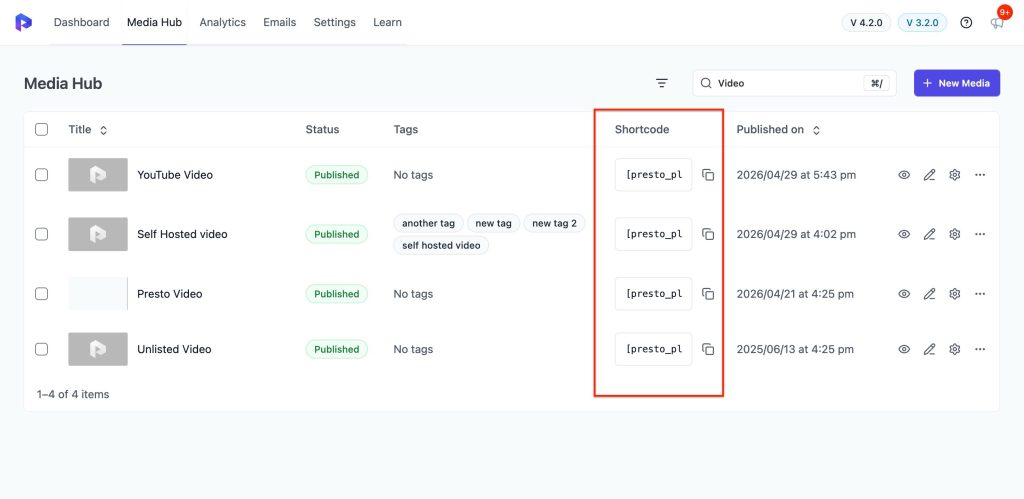
Media Hub shortcodes are used for videos or audio that already exist in the Media Hub. These shortcodes:
- Use settings managed centrally in the Media Hub
- Automatically reflect changes made to the media
- Work best when media sync is enabled or when media was added through the Media Hub
If you update the media settings later, the shortcode output updates automatically. For more information about how media is managed, see the Media Hub documentation.
Original Shortcodes
Original shortcodes are used when the media is not stored in the Media Hub. They are useful when:
- You have a working direct media URL
- You want to embed external media while still using Presto Player
- Media is coming from a dynamic source, such as a custom field
These shortcodes give you flexibility but do not benefit from centralized Media Hub management.
Using Media Hub Shortcodes
To embed media from the Media Hub:
Step 1 – Go to Dashboard > Presto Player > Media Hub
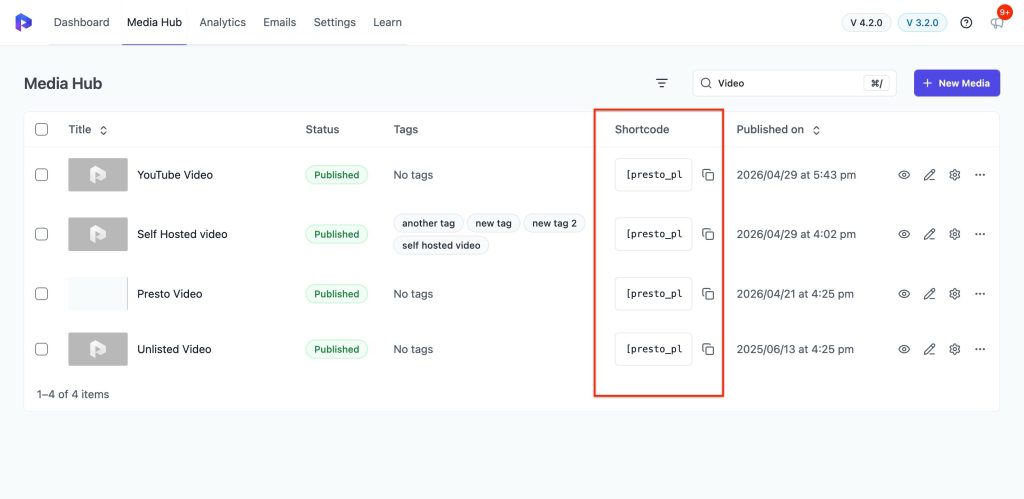
Step 2 – Find the video or audio you want to embed
Step 3 – Copy its shortcode
Step 4 – Paste the shortcode where you want the media to appear
Example: Adding Media to a Sidebar
Step 1 – Go to Dashboard > Appearance > Widgets
Step 2 – Add a Shortcode widget to your sidebar
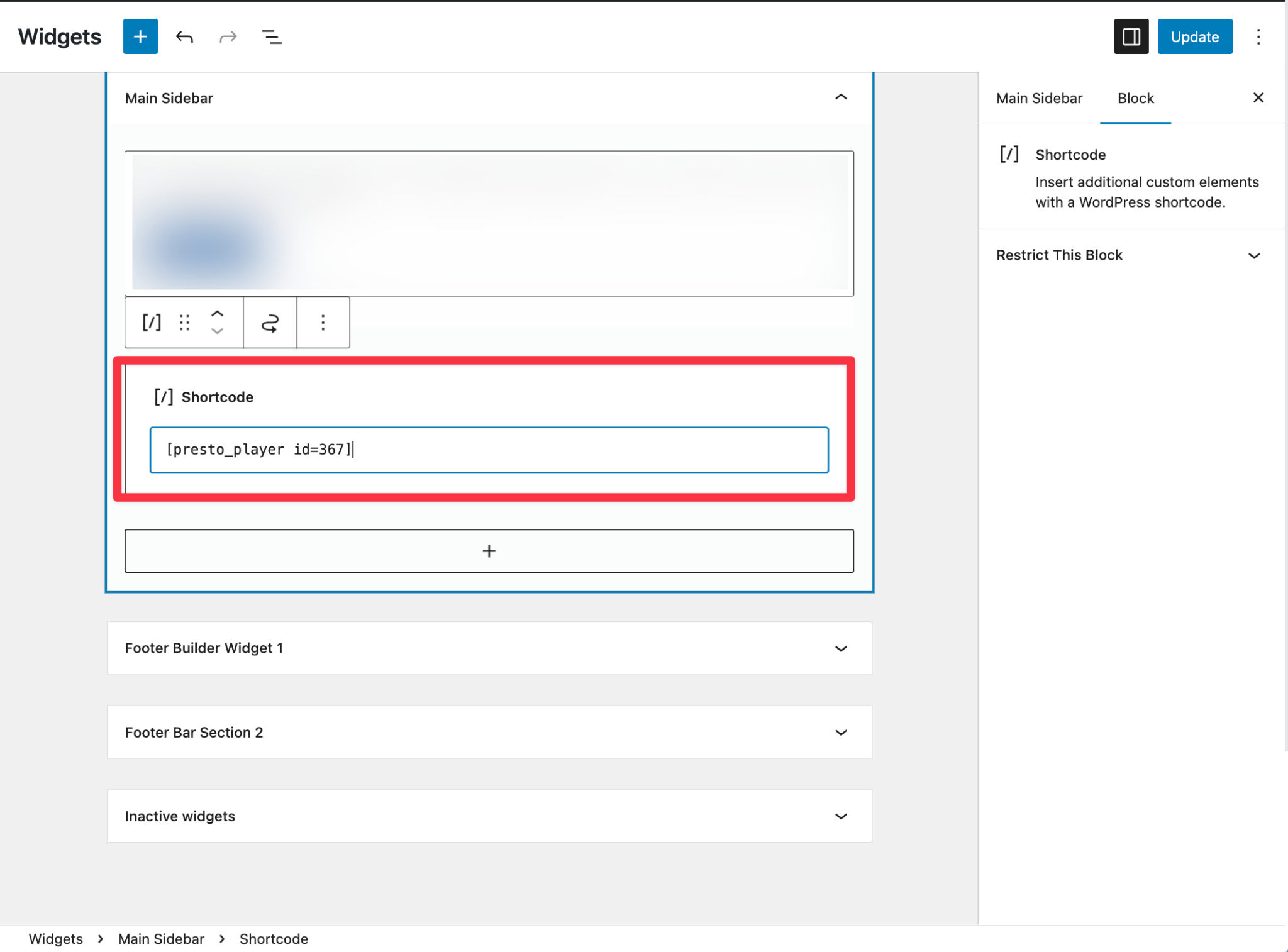
Step 3 – Paste the Media Hub shortcode
Step 4 – Save your changes
When to Use Shortcodes
Shortcodes are best used when:
- Blocks are not available
- You need to embed media inside widgets or third-party plugins
- Media needs to be loaded dynamically
- You are working with sliders, tabs, or accordions
For Gutenberg pages where blocks are supported, the Presto Player block is usually easier to manage and preview.
Conclusion
Shortcodes provide a flexible way to embed Presto Player media when blocks are not available or when media needs to be loaded dynamically. For most block-based pages, the Presto Player block is easier to use. Shortcodes are best reserved for layouts, plugins, or workflows where blocks are not supported.
We don't respond to the article feedback, we use it to improve our support content.